IPTV on Firestick: The Ultimate Easy Setup Guide for 2026

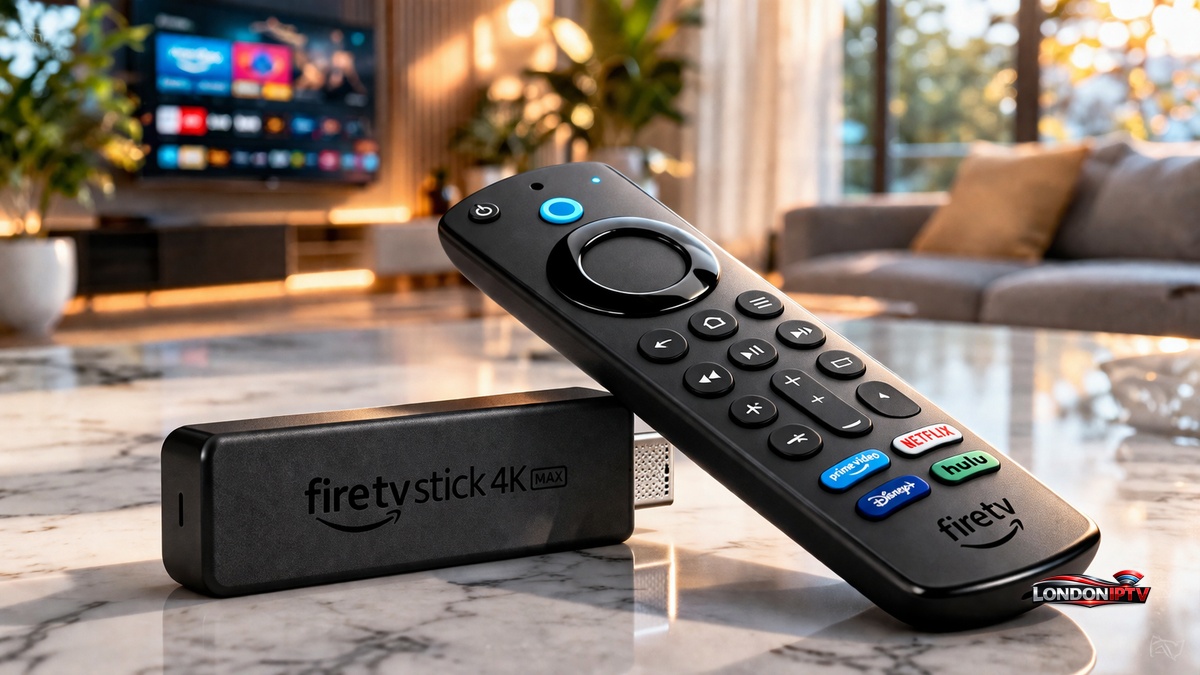
Table of Contents
Setting up IPTV on Firestick is faster and smoother in 2026 than it’s ever been. I’ve personally configured IPTV on Firestick on five different devices over the past year including two Fire TV Stick 4K Max units and this guide reflects exactly what works right now. If you’ve struggled with buffering, bad installs, or confusing menus before, this is the guide that fixes all of that.
Why IPTV on Firestick Is the Best Streaming Combo in 2026
Firestick IPTV setups have exploded in popularity for a simple reason: the hardware is cheap, the software is powerful, and you can install virtually any app you want through Sideloading. Amazon’s Fire TV platform runs on a modified version of Android, which means third party IPTV players install and run perfectly on it.
The Fire TV Stick 4K Max sits at the top of the pile. WiFi 6 connectivity, 3GB of RAM, and an octa core processor mean it can handle a massive M3U Playlist URL with thousands of channels, full EPG Guide data, and a VPN running in the background all at the same time. Budget sticks work too, but you’ll hit limits on heavier streams.
Firestick with IPTV also wins on the remote experience. Players like TiviMate Player are designed around Android TV navigation, and the Firestick remote maps to them perfectly. Scrolling through thousands of channels, switching categories, pulling up the EPG Guide it all feels native.
What You Need Before You Start
Get these sorted before touching any settings:
- A Firestick Fire TV Stick 4K Max is strongly recommended
- An active IPTV subscription from a provider you trust
- Either an M3U Playlist URL or Xtream Codes credentials (server URL + username + password)
- Internet speed: minimum 25 Mbps for HD, 50+ Mbps for 4K
- A VPN (highly recommended to counter ISP Throttling) Quick format check If your provider sent you a long URL ending in
.m3uor.m3u8, that’s your M3U Playlist URL. If they gave you a portal address, a username, and a password that’s Xtream Codes API format. Both work great in TiviMate Player.
Step by Step: How to Set Up IPTV on Firestick
Step 1 : Enable Developer Options for Sideloading
This is the foundation. Without this step, you can’t install TiviMate Player or any third party IPTV app. Here’s the exact menu path:
- From the Firestick home screen, open Settings (gear icon, top right)
- Scroll right and select My Fire TV
- Tap Developer Options
- Toggle Apps from Unknown Sources → ON
- Confirm by clicking Turn On
Sideloading is now active. That warning Amazon shows is standard across all Android based devices its nothing to worry about. Every firestick with IPTV setup in the world starts at this exact screen.
Step 2 : Download and Install the Downloader App
The Downloader App by AFTVNews is the tool that lets you pull APK files directly onto your device. Unlike most IPTV apps, it’s available straight from the Amazon App Store:
- Press Home and open the Search bar
- Type “Downloader” and select it
- Pick Downloader by AFTVNews the one with the orange icon
- Click Download → wait for it to finish
- Open the app and tap Allow for file access
Once inside, you’ll see a URL input bar at the top. That’s where the next step happens.
Step 3 : Install TiviMate Player: The Best App for IPTV Firestick
TiviMate Player is definitately the top IPTV player for Firestick in 2026. It’s purpose built for Android TV remotes, supports both M3U Playlist URL and Xtream Codes API, integrates the EPG Guide cleanly, and includes Anti Freeze Technology for rock solid stream stability.
How to install it:
- Open the Downloader App
- Tap the URL input bar
- Enter 272483 and press Go
- Downloader redirects to TiviMate’s APK install page
- Tap Install → wait for it to complete
- Tap Done (don’t tap Open yet go home first)
- Find TiviMate under Your Apps & Channels and launch it Getting an “App not installed” error? This almost always means Developer Options aren’t fully enabled. Retrace Step 1 and confirm the toggle is ON, then try again.
Step 4 : Connect Your IPTV Subscription: IPTV to Firestick
This is where IPTV to Firestick actually happens. Open TiviMate Player and follow whichever method matches your provider’s format:
M3U Playlist URL method:
- Tap Add Playlist → select M3U Playlist
- Paste your M3U Playlist URL carefully a single extra space causes a URL error
- Tap Next → name your playlist → tap Add
- TiviMate scans and loads all channels (30–90 seconds)
Xtream Codes API method:
- Tap Add Playlist → select Xtream Codes API
- Enter your server URL, username, and password exactly as given
- Tap Next → name it → tap Add
After loading, your channel list, VOD library, and EPG Guide all populate automatically. First time EPG sync takes a few extra minutes totally normal.
Full IPTV Firestick Setup – Quick Reference Table
| Step | Task | Location / Detail |
|---|---|---|
| 1 | Enable Sideloading | Settings → My Fire TV → Developer Options |
| 2 | Install Downloader App | Amazon App Store (free) |
| 3 | Install TiviMate Player | Downloader code: 272483 |
| 4 | Add M3U Playlist | TiviMate → Add Playlist → M3U |
| 5 | Add Xtream Codes API | TiviMate → Add Playlist → Xtream |
| 6 | Sync EPG Guide | TiviMate → Settings → EPG |
| 7 | Enable Anti Freeze | TiviMate → Settings → Player |
| 8 | Activate VPN | Launch VPN before opening TiviMate |
Once your Firestick is set up, the quality of your streaming experience comes down to choosing the right provider. If you’re based in the UK, our roundup of the Best IPTV UK 2026 covers 10 tested providers ranked by stability and picture quality making it easy to find one that pairs perfectly with your Firestick setup.
TiviMate Free vs Premium for IPTV on Firestick
| Feature | Free | Premium (~$4.99/yr) |
|---|---|---|
| M3U Playlist URL support | ✅ | ✅ |
| Xtream Codes API support | ✅ | ✅ |
| EPG Guide | ✅ | ✅ |
| Anti Freeze Technology | ❌ | ✅ |
| Multiple playlists | ❌ | ✅ |
| Catch Up TV | ❌ | ✅ |
| Recording | ❌ | ✅ |
| Auto update playlists | ❌ | ✅ |
| Panel & UI customization | ❌ | ✅ |
The free version is genuinely usable if you only have one IPTV subscription and don’t need recordings. But Anti Freeze Technology alone makes Premium worth the $4.99 especially if your connection isn’t perfectly consistent.
Troubleshooting IPTV on Firestick
Buffering and Freezing Fixes
Buffering is the number one complaint with IPTV firestick setups. Here’s what to check first:
- ISP Throttling Your internet provider may be identifying and slowing your IPTV traffic. This is called ISP Throttling and a VPN is the direct solution. Enable it before launching TiviMate and your bufferring will likely drop dramatically.
- Anti Freeze Technology Go to TiviMate → Settings → Player and make sure Anti-Freeze Technology is toggled on. It pre loads a small buffer to cover brief connection dips.
- Weak WiFi Full signal bars don’t always mean full throughput. A USB to Ethernet adapter gives you a wired connection and eliminates this variable entirely.
- Background apps Hold the Home button → Apps → force close anything you’re not using.
Common Error Messages and What They Mean
- “App not installed” Developer Options not fully enabled. Retrace Step 1.
- “URL error” or blank channel list Extra space or typo in your M3U Playlist URL. Repaste directly from your provider’s email.
- Xtream Codes API login failure Check that the server URL has no trailing slash, and verify your subscription hasn’t expired.
- EPG Guide not loading Go to TiviMate Settings → EPG → force a manual refresh.
FAQs About IPTV on Firestick
Is Setting Up IPTV on Firestick Legal?
The setup process itself Sideloading, installing TiviMate Player, using the Downloader App is completely legal. What matters is the content source. Licensed, paid IPTV services are legal. Unauthorized streams accessing pirated content are not. Use a reputable provider.
Which Firestick Is Best for IPTV in 2026?
The Fire TV Stick 4K Max is the clear winner. It handles 4K HDR streams without breaking a sweat, supports WiFi 6 for faster and more stable connections, and runs TiviMate Player alongside a VPN with zero performance hit. If you’re on a tighter budget, the standard Fire TV Stick 4K is a decent alternative.
Can I Run Multiple IPTV Services on One Firestick?
Yes. TiviMate Premium supports multiple playlists simultaneously. Each service has its own channel list, EPG Guide, and VOD library. You switch between them from the main TiviMate dashboard no need to reinstall or reconfigure anything.
Getting IPTV on Firestick working takes about 15 minutes once you know the path. Enable Developer Options, install the Downloader App, sideload TiviMate Player, connect your M3U Playlist URL or Xtream Codes API details, and you’re live. Run into buffering? ISP Throttling and Anti Freeze Technology are your first two stops. Those two fixes alone handle the vast majority of issues people hit with firestick IPTV setups in 2026.