Step 1
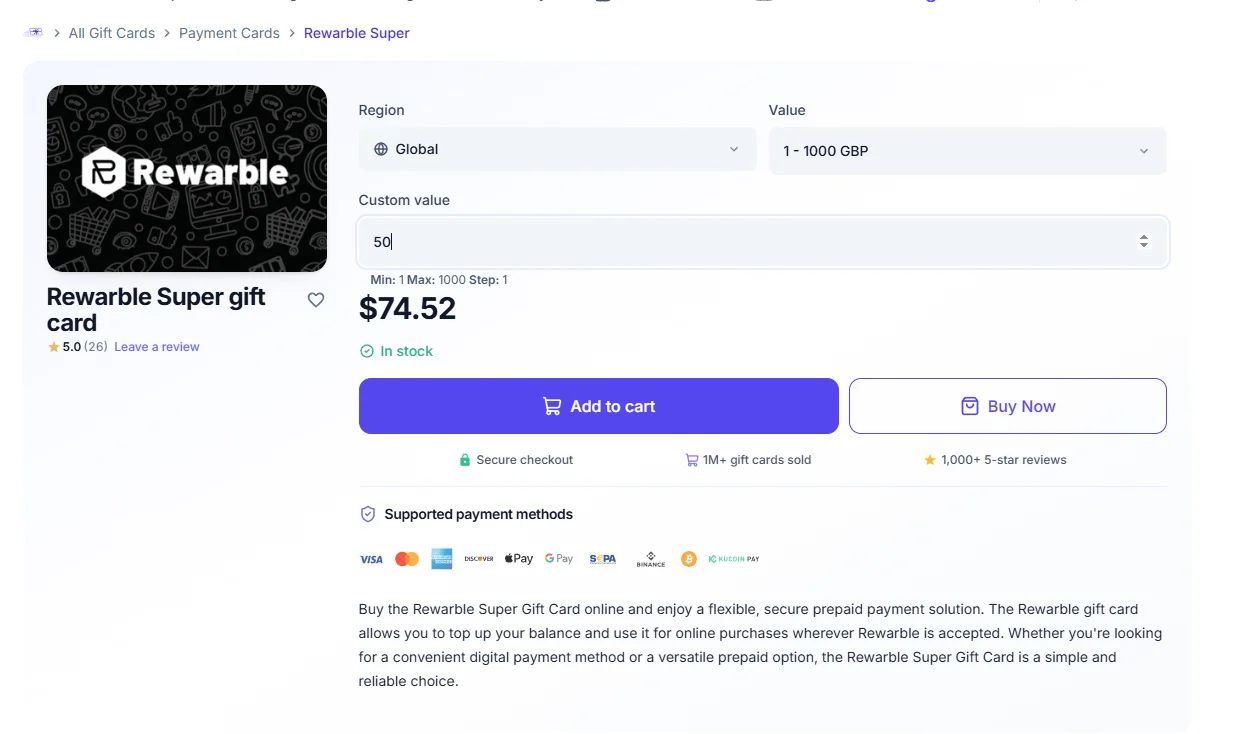
Choose Your Plan Amount
Go to the official CoinGate page to buy the Rewarble Gift Card. Fill in the details based on your IPTV subscription plan (For example, a 1-Year plan requires 50).
- 1. Visit the link: CoinGate Rewarble Super
- 2. Custom Value: Enter the price of your plan (e.g.,
60). - 3. Region: Leave it set to
Global. - 4. Value: Keep it set to
GBP.
Step 2
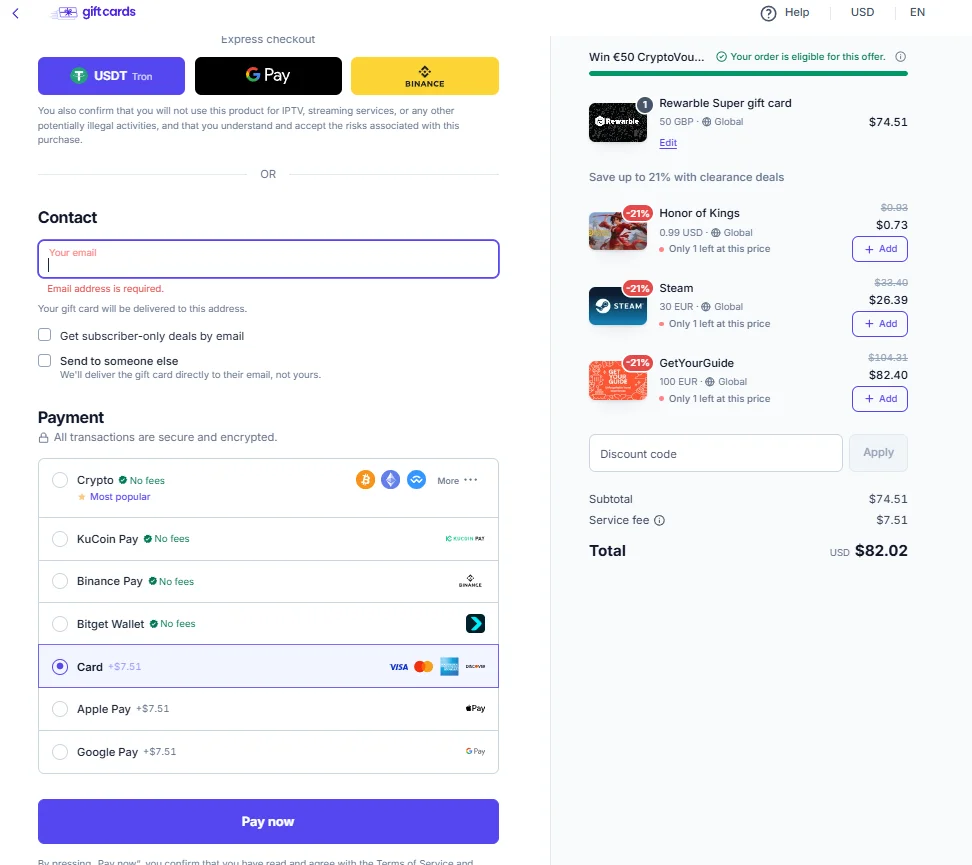
Enter Your Email & Checkout
Provide the email address where you want to receive your gift card code, then choose your preferred payment method to complete the purchase securely.
- 1. Contact Info: Type your valid email address in the "Contact" field.
- 2. Select Payment: Choose your favorite method (Crypto with 0 fees, Credit Card, Binance Pay, or Apple/Google Pay).
- 3. Pay Now: Click the
Pay nowbutton to finish your transaction.
Step 3
Access & Reveal Your Card
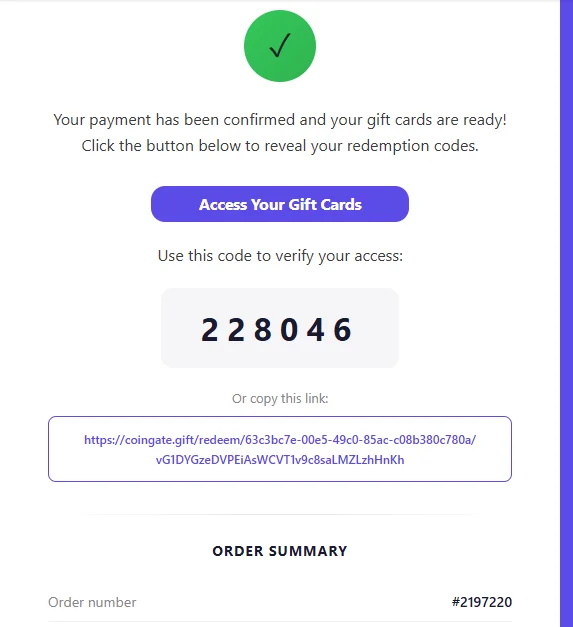
After your payment is confirmed, you will receive an email with your access details. You need both the link and the 6-digit code to see your card.
- 1. Click the Link: Open the email and click the
Access Your Gift Cardsbutton (or the long link at the bottom). - 2. Enter Verification Code: The link will open a secure page asking for a PIN. Type the 6-digit code provided in the email (e.g.,
22 80 46). - 3. Reveal Card: Once verified, your Rewarble Gift Card number will be fully visible and ready to use.
Step 4
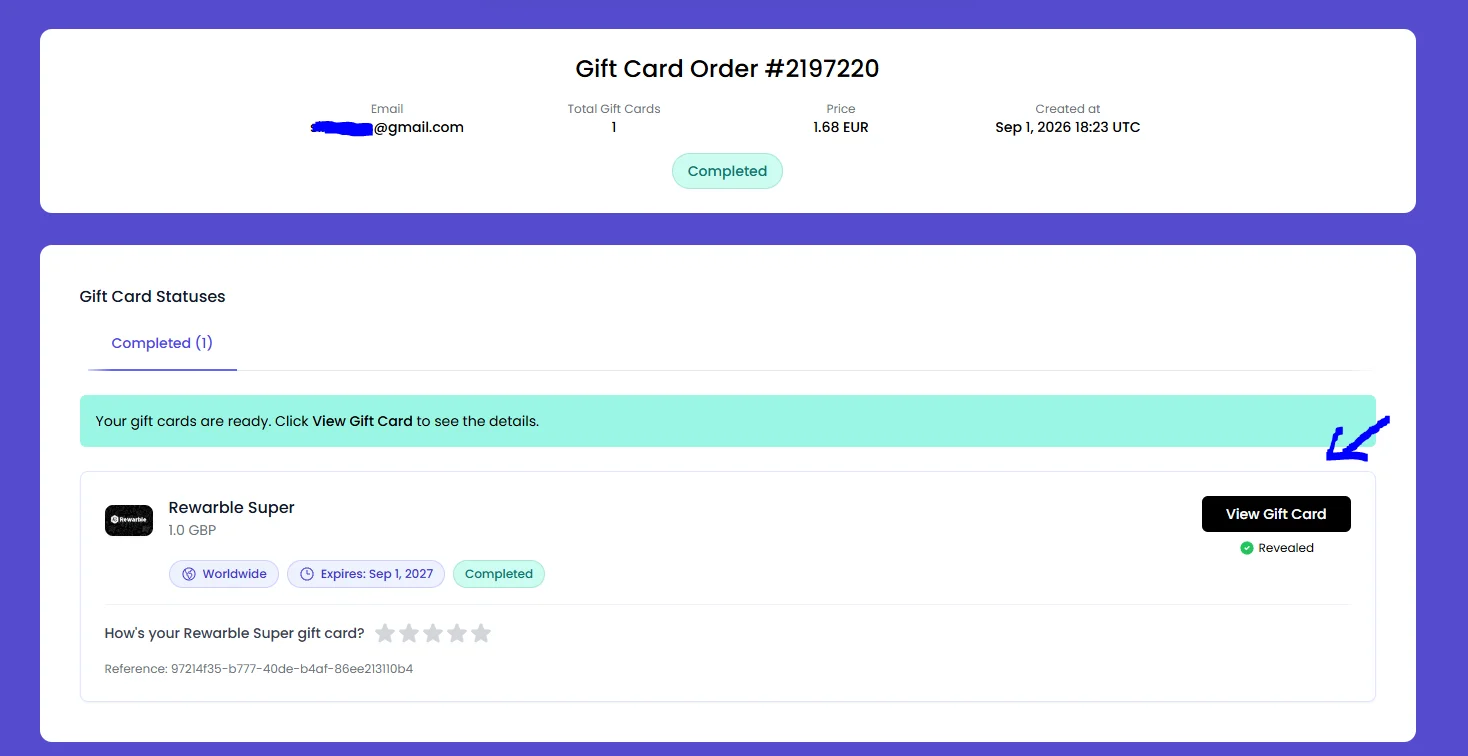
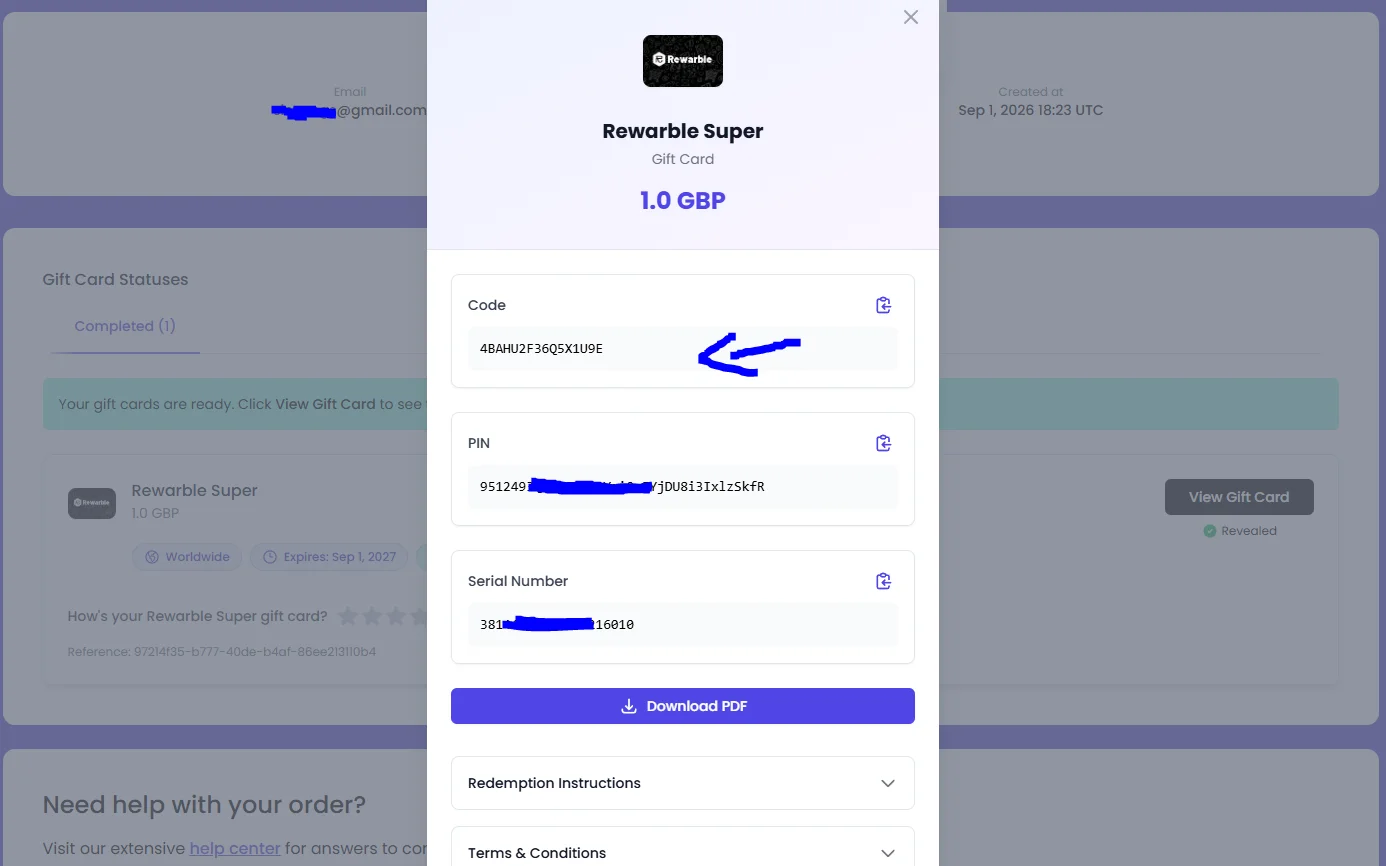
View & Copy Your Gift Card
Once you enter the verification code, your completed order page will load. Simply click to reveal your gift card details.
- 1. Order Status: You will see your order marked as "Completed".
- 2. Click Reveal: Click the black
View Gift Cardbutton on the right side. - 3. Copy the Code: Your final Rewarble Gift Card code will now be visible.
- 4. Activate Subscription: Copy this code and send it to our KINGS IPTV support team to activate your account instantly!